An Operating System (OS) is one of the most important types of system software in a computer. It acts as an interface between the user and the computer hardware. Without an operating system, a computer cannot function properly. The operating system controls hardware, runs applications, manages memory, and allows users to interact with the system.
Every computer, laptop, smartphone, or tablet requires an operating system to operate. Popular operating systems include Windows, Linux, macOS, Android, and iOS. These operating systems make it easier for users to perform tasks such as typing, browsing the internet, running applications, and managing files.
What is an Operating System?
An operating system is software that manages computer hardware and software resources. It provides a platform for application programs to run and helps users communicate with the computer.
When you turn on your computer, the operating system loads automatically. It manages all operations in the background while users perform tasks.
In simple words:
Operating System = User + Hardware + Software connection
Functions of Operating System
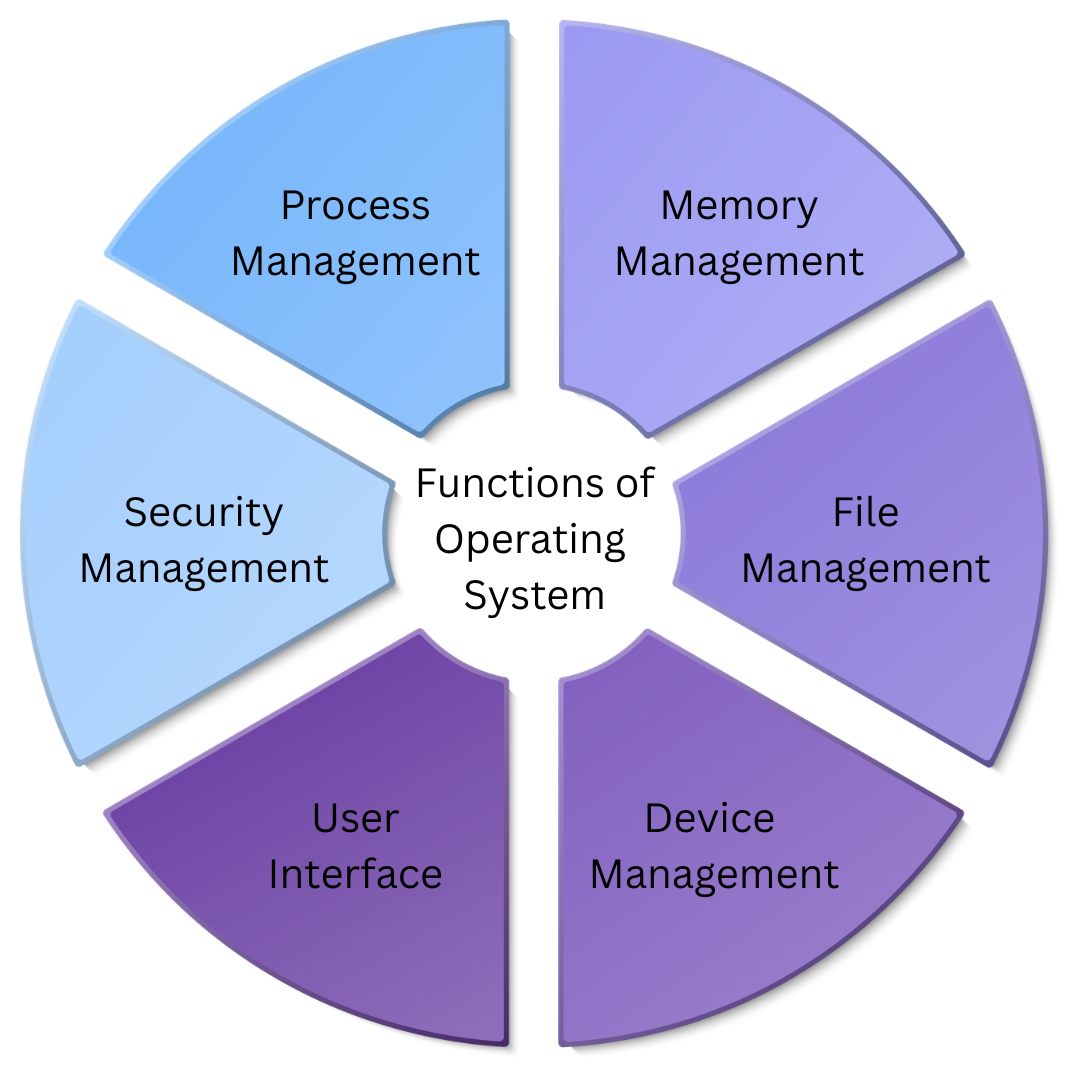
The operating system performs several important functions.
1. Process Management
The operating system manages all running programs. It decides which program runs first and how much CPU time each program gets.
Examples:
- Running browser and Word at same time
- Multitasking
2. Memory Management
The operating system manages RAM. It allocates memory to programs and ensures efficient use of memory.
Functions:
- Allocate memory
- Free memory
- Track memory usage
3. File Management
The operating system manages files and folders. It allows users to create, delete, copy, and move files.
Examples:
- Creating documents
- Saving files
- Deleting folders
4. Device Management
The operating system controls hardware devices using device drivers.
Devices managed:
- Keyboard
- Mouse
- Printer
- Monitor
- USB devices
5. Security Management
Operating system protects data using:
- Passwords
- User accounts
- Permissions
This helps keep data safe.
6. User Interface
Operating system provides interface for users.
Types:
- Graphical User Interface (GUI)
- Command Line Interface (CLI)
GUI uses icons and mouse, CLI uses commands.
Types of Operating System
Operating systems are classified into different types.
1. Single User Operating System
This type supports one user at a time.
Examples:
- MS-DOS
2. Multi-User Operating System
This type allows multiple users to use system simultaneously.
Examples:
- Unix
- Linux
3. Multitasking Operating System
Allows multiple programs to run at same time.
Examples:
- Windows
- macOS
4. Real-Time Operating System
Used where quick response is required.
Examples:
- Air traffic control
- Robotics
5. Distributed Operating System
Manages multiple computers and makes them appear as one system.
Used in:
- Networks
- Large systems
6. Mobile Operating System
Designed for smartphones and tablets.
Examples:
- Android
- iOS
Examples of Operating System
Some common operating systems include:
Microsoft Windows
Most widely used operating system for personal computers.
Features:
- User friendly
- GUI interface
- Supports many applications
Linux
Open-source operating system used in servers and developers.
Features:
- Secure
- Free
- Customizable

macOS
Operating system developed for Apple computers.
Features:
- Fast
- Secure
- Smooth performance
Android
Mobile operating system used in smartphones.
Features:
- Touch interface
- App support
- Customizable

iOS
Apple mobile operating system used in iPhones.
Features:
- Secure
- Smooth
- Optimized
Components of Operating System
Operating system consists of several components:
- Kernel
- File System
- User Interface
- Device Drivers
- System Libraries
These components help operating system function properly.
Advantages of Operating System
Operating system provides many benefits:
- Makes computer easy to use
- Runs applications
- Manages hardware
- Supports multitasking
- Provides security
- Handles memory efficiently
Disadvantages of Operating System
Some limitations include:
- Can crash
- Requires updates
- Security vulnerabilities
- Some OS are expensive
Importance of Operating System
Operating system is important because:
- It starts computer
- It runs programs
- It manages hardware
- It provides user interface
- It handles memory
- It controls devices
Without operating system, computer cannot work.
Example of Operating System Working
When you open a browser:
- You click browser icon
- Operating system loads program
- Memory is allocated
- CPU processes instructions
- Browser opens
Operating system manages everything.
Conclusion
An operating system is essential software that manages computer hardware and software. It acts as a bridge between the user and the computer. The operating system performs functions such as process management, memory management, file management, and device management. There are different types of operating systems such as single-user, multi-user, multitasking, and real-time operating systems. Examples include Windows, Linux, macOS, Android, and iOS. Without an operating system, a computer cannot function. It is the backbone of every computing device.
reference: Wikipedia