In a world driven by innovation, hardware stands as the silent force behind every digital experience. From the smartphone in your pocket to the servers powering the internet, hardware forms the physical foundation of our increasingly connected lives. But what exactly makes hardware so essential—and why should you care?The power of harware is something that serves as the backbone of modern technology.
💻 What is Hardware?
Hardware refers to the tangible components of a computer or electronic system. Unlike software, which consists of instructions and code, hardware is what you can physically touch and see.
Let’s explore the major categories of hardware in a simple and engaging way.
💻 1. Input Devices
Input devices allow users to interact with a computer by sending data and commands.
🔹 Examples:
- Keyboard
- Mouse
- Scanner
- Microphone
- Webcam
👉 These devices help you “input” information into the system.
🖥️ 2. Output Devices
Output devices display or present the results processed by the computer.
🔹 Examples:
- Monitor
- Printer
- Speakers
- Headphones
👉 They show you what the computer has done.
⚙️ 3. Processing Devices
Processing hardware is the brain of the computer, responsible for executing instructions.
🔹 Examples:
- CPU (Central Processing Unit)
- GPU (Graphics Processing Unit)
👉 These components handle calculations and decision-making.
💾 4. Storage Devices
Storage devices are used to store data permanently or temporarily.
🔹 Types:
- Primary Storage: RAM, Cache (temporary)
- Secondary Storage: Hard Drive (HDD), Solid-State Drive (SSD), USB drives
👉 They keep your data safe and accessible.
🔌 5. Communication Devices
These devices enable data transfer between systems or networks.
🔹 Examples:
- Network Interface Card (NIC)
- Modem
- Router
👉 They connect your computer to the internet and other devices.
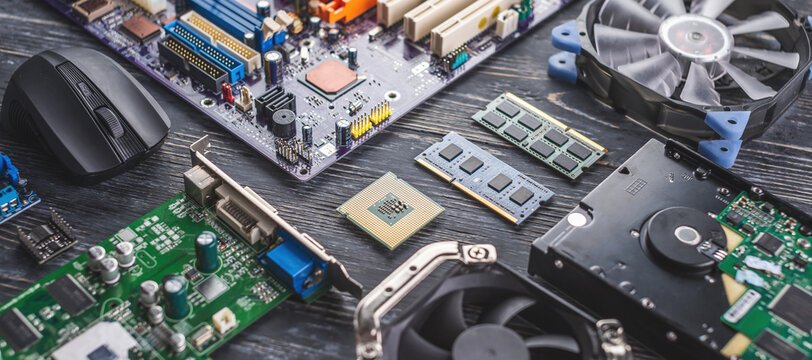
🧩 6. Motherboard & Internal Components
The motherboard is the main circuit board that connects all hardware components.
🔹 Includes:
- Chipsets
- Power connectors
- Expansion slots
👉 It acts like the central hub of the system.
Each component plays a crucial role in ensuring smooth and efficient system performance.
⚙️ Why Hardware Matters More Than Ever
As technology evolves, so do the demands placed on hardware. Whether you’re gaming, editing videos, running a business, or simply browsing the web, your experience depends heavily on the quality of your hardware.
🚀 Performance & Speed
Modern processors and high-speed SSDs drastically reduce load times and improve multitasking capabilities.
🎮 Enhanced User Experience
High-performance GPUs bring lifelike graphics to games and creative applications, making visuals more immersive than ever.
🔒 Reliability & Durability
Quality hardware ensures long-term stability, reducing crashes and system failures.
🧠 Choosing the Right Hardware
Selecting the right components can feel overwhelming, but focusing on your needs simplifies the process:
- For everyday use: A mid-range CPU with 8GB RAM is sufficient.
- For gaming: Invest in a powerful GPU and at least 16GB RAM.
- For professionals: High-end CPUs, large RAM (32GB+), and fast SSDs are key.
💡 Tip: Always balance your components—pairing a high-end GPU with a weak CPU can bottleneck performance.
🌍 The Future of Hardware
Hardware innovation continues to push boundaries. Emerging trends include:
- AI-optimized processors
- Energy-efficient chips
- Quantum computing components
- Compact yet powerful devices
These advancements promise faster, smarter, and more sustainable technology.
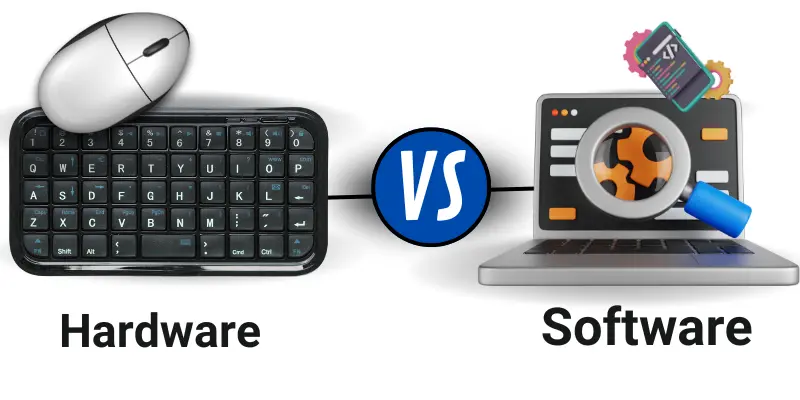
⚖️ Key Differences Between Hardware and Software
| Feature | Hardware 🖥️ | Software 💡 |
|---|---|---|
| Nature | Physical (can be touched) | Virtual (cannot be touched) |
| Function | Executes tasks | Provides instructions |
| Creation | Manufactured | Developed (coded/programmed) |
| Wear & Tear | Can wear out over time | Does not wear out, but may need updates |
| Examples | CPU, RAM, HDD, GPU | Apps, OS, Games |
🔄 How Hardware and Software Work Together
Hardware and software are interdependent:
- Hardware needs software to operate
- Software needs hardware to run
For example, when you open a browser:
- The software (browser app) sends instructions
- The hardware (CPU, RAM) processes them
- The result appears on your screen
Without one, the other is useless.
🚀 Why This Difference Matters
Understanding the distinction helps you:
- Choose the right device for your needs
- Troubleshoot issues more effectively
- Upgrade systems wisely (hardware vs software improvements)
🛠️ Final Thoughts
Hardware may not always be visible, but it is undeniably vital. Investing in the right hardware not only enhances performance but also future-proofs your digital life. Whether you’re a casual user or a tech enthusiast, understanding hardware empowers you to make smarter decisions.
✨ Stay tuned for more insights into the world of technology. Don’t forget to share your thoughts in the comments below!
What is Cybersecurity? A Complete Beginner’s